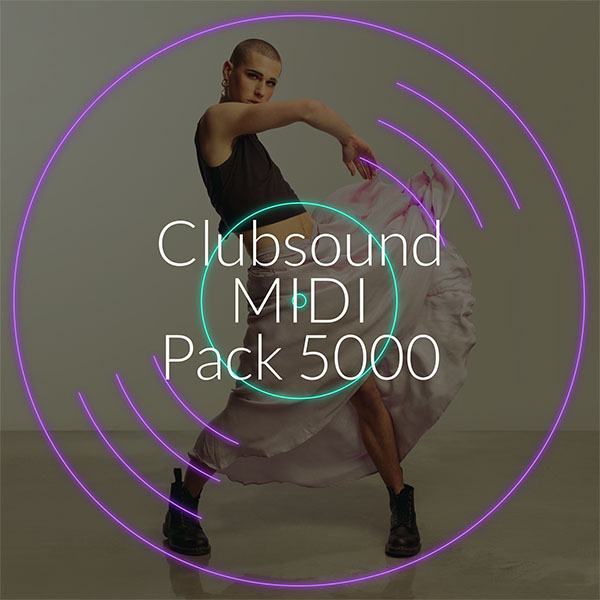
5000 Club MIDI Files
Explore Club MIDI Files for electronic dance music production and develop your own club-oriented tracks using editable musical note data.
MIDI gives you control over the musical performance while leaving the sound selection and arrangement in your hands.
🎹 CREATE YOUR OWN CLUB SOUND
Import MIDI material into your compatible DAW, assign your preferred synthesizers and experiment with different sounds and musical arrangements.
Use MIDI editing to:
Adjust notes and melodic phrases
Change timing and rhythmic accents
Experiment with tempo and transposition
Assign different virtual instruments
Develop variations for different song sections
Combine compatible musical ideas with your own compositions
🎧 FROM MIDI IDEA TO CLUB ARRANGEMENT
Experiment with different synthesizer sounds and develop musical sections for introductions, builds, drops and breakdowns.
A MIDI phrase can take on a completely different character depending on the instruments, timing and processing you choose.
Creative Applications: EDM, Dance music, House-inspired productions and electronic club arrangements.
MIDI Format: MIDI contains note and performance information rather than recorded instrument sounds.
Requirements: A compatible DAW and suitable virtual instruments or MIDI sound generators.
Explore musical ideas, customize your arrangements and develop your own electronic club sound.
Related Articles

Club MIDI Files for EDM and Dance Music Production
Explore Club MIDI Files as a creative resource for developing electronic dance music and experimenting with club-oriented arrangements.
MIDI allows producers to work directly with musical note information, adjust rhythmic phrasing and explore alternative sounds using compatible virtual instruments.
Whether you’re sketching a new electronic idea or developing an existing production, MIDI can help you experiment with musical structure while retaining control over your arrangement.
Why Use Club MIDI Files?
MIDI provides flexibility that recorded audio loops do not offer in the same way.
Instead of working with a fixed instrumental recording, you can change the notes and assign suitable synthesizer sounds.
This gives you the freedom to explore different interpretations of a musical phrase.
You can experiment with melodic development, rhythmic variations and alternative instrument sounds without having to recreate the underlying note pattern from scratch.
Create Electronic Dance Music With MIDI
EDM and Festival-Inspired Music
Develop electronic arrangements by experimenting with melodic synthesizers, rhythmic patterns and contrasting musical sections.
Use your own instruments and processing to shape the energy of your production.
House and Club Music
Explore how different instruments and note arrangements can support groove-oriented electronic music.
Experiment with bass sounds, keyboard textures and suitable rhythmic combinations.
Dance Music and Electronic Pop
Develop melodic instrumental ideas and experiment with different arrangements for song-oriented electronic productions.
Your choice of notes, sounds and musical structure determines the final character.
Customize Your MIDI Notes
A MIDI-based workflow allows you to modify the musical performance independently from the instrument sound.
Depending on the material, you can:
Transpose musical notes
Change note lengths
Adjust velocity and timing
Experiment with different tempos
Replace synthesizer sounds
Develop variations from existing musical phrases
Combine suitable MIDI patterns with your own material
This flexibility makes MIDI useful for testing ideas during composition and arrangement.
Choose Your Own Synthesizer Sounds
MIDI files do not contain recorded synthesizer audio.
To hear the musical notes, assign them to a suitable software or hardware instrument.
You can experiment with different synthesizer sounds, including bass instruments, leads, keyboards and atmospheric textures.
For more sound-design options, explore our Serum Presets Collection.
These soundbanks are separate products and require compatible synthesizer software.
Develop Your Own Club Track Arrangement
A simple MIDI-based production workflow can help you explore musical ideas.
Step 1: Import Your MIDI
Open your preferred DAW and import the MIDI material you want to use.
Step 2: Select an Instrument
Assign a suitable synthesizer or virtual instrument and experiment with the sound.
Step 3: Customize the Notes
Modify timing, pitch, note lengths or velocity to explore different variations.
Step 4: Develop Musical Sections
Experiment with introductions, builds, drops and breakdowns using your own additional musical elements.
Step 5: Complete Your Arrangement
Combine the musical material with your preferred drums, effects and production techniques.
MIDI provides editable musical information rather than a finished, mastered song.
MIDI Compatibility and Requirements
Standard MIDI files can be imported into compatible music production software, including:
FL Studio
Ableton Live
Logic Pro
Cubase
Studio One
Reaper
Bitwig Studio
A suitable virtual instrument or MIDI-compatible sound generator is needed to hear the notes.
MIDI note data and recorded audio samples are different formats. Check the individual product contents for any additional file types or software requirements.
Explore More EDM and Dance Music Resources
EDM and Festival MIDI Packs
Explore our EDM MIDI Files Collection for additional electronic music production resources.
The category includes collections featuring melodies, chord progressions, basslines and rhythmic MIDI ideas.
House MIDI Packs
Discover our House and Deep House MIDI Packs for groove-oriented electronic styles.
Drum MIDI Patterns
For additional rhythmic material, browse our Drum and Percussion MIDI Packs.
More MIDI Resources
Visit our complete MIDI Packs Collection to explore other musical genres and production approaches.
Build Your Own Electronic Club Sound
Club MIDI Files provide a starting point for exploring electronic music with editable note information.
Experiment with instruments, modify musical phrases and develop your own EDM and Dance arrangements using the production techniques that suit your creative workflow.